DTF Printer Buying Guide: A1 or A3, XP600 or i3200
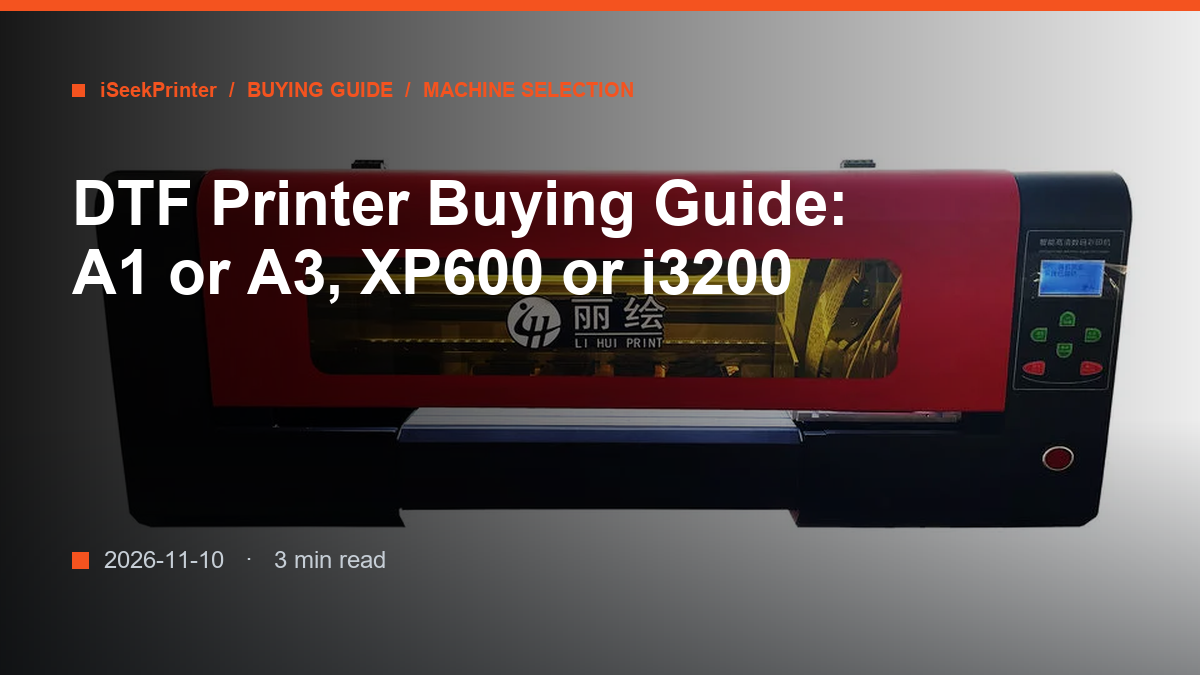
A DTF printer buying decision comes down to four variables: print width, printhead type, head count, and what the quotation actually contains. This guide works through them in the order they affect your running costs.
Start With Your Daily Garment Count, Not the Spec Sheet
Most buyers start with a machine and work backwards. It is easier the other way round. Count the garments you decorate on an average day and on your busiest day, then measure the largest design you print regularly. A shop doing a dozen tees a day with A4 chest prints and one doing eighty with full-back prints need different machines, and neither needs four heads.
Two more numbers belong in the same calculation: how much film you are willing to waste, and how often the machine can be stopped. Film waste is driven by width. Downtime is driven by head count, and by whether a replacement part is on a shelf within reach.
A1 or A3: Print Width Sets Your Film Waste
A3 (300 mm) is a sampling and short-run width, for studios, sample rooms and shops printing a handful of garments a day. The limit is that a full-back print must be rotated or split across two lengths of film, which costs film and time on every job.
A1 (600 mm) is the production width for T-shirt shops. It prints two A4 panels side by side in one pass, and takes full-back designs without rotation. If your designs are wider than A3, or your daily count runs into double figures, A1 is usually the cheaper machine to own despite the higher purchase price.
- Choose A3 for A4-or-smaller designs, fewer than about ten garments a day, or limited floor space.
- Choose A1 for full-back prints, multi-garment jobs, or volume you expect to grow within a year.
- Choose dual or four heads only if the machine will run most of the working day.
Width also sets the powder shaker. A 600 mm printer needs a 600 mm shaker, and a shaker narrower than the film is a bottleneck on every job.
XP600 or i3200: A Running-Cost Decision
XP600 heads cost less to buy and less to replace, which makes them the practical choice for most A1 and A3 shops, especially where printing happens in bursts rather than all day.
i3200 heads cost more but print faster and hold finer detail under continuous use. On a machine that runs all day the extra throughput can justify the head price. On one that prints three hours a day it rarely does. Neither head tolerates being left uncapped with ink standing in the lines.
Compare cost per square metre over the life of the head, not the sticker price. Ask for the current head price and the service interval your supplier actually sees.
How Many Heads Do You Need?
Head count sets throughput, not resolution. One head is enough for sampling and low volume. Dual heads roughly double output and are the usual production choice. Four heads are for shops where the printer is the production line rather than one station in the workflow.
Every extra head adds calibration work and another consumable to replace, and one neglected head on a four-head line removes a quarter of your capacity.
What the Price Actually Includes
Two quotes for the same model number can differ by a third of the price. Put both on the same footing before you compare them.
- Printheads included, or a separate line.
- White ink circulation fitted or optional.
- Powder shaker and curing unit inside the price or outside it.
- RIP licence, dongle or machine-bound.
- Commissioning ink, film and powder, or an empty ink system.
- Voltage and plug configured at the factory.
- Crating, packing list and documentation.
- Freight terms, EXW through DDP, and who clears customs.
A cheap quote that excludes the shaker, the RIP licence and the commissioning ink is not a cheap machine. It is a partial one.
Rule of thumb: budget the printer, the shaker, the first month of film and powder, and one spare printhead as four separate lines. A quote that cannot be broken down that way has not been compared yet.
Before paying a deposit, ask who sets the printhead voltage and alignment, whether the test print is recorded against the serial number, and where the spare parts ship from.
- Who configures the board and firmware, and to which revision?
- Which spare parts are held in stock, and are they sold by part number or only as assemblies?
- What support covers the first installation, and in which languages?
- Can the same machine be built in 110V for our market?
- At the first nozzle failure, is a replacement head a stock item?
Our own A1 and A3 machines are configured before they leave the factory in Guangdong: voltage, plug, printhead option, RIP presets and interface language. That removes most of the first-week problems that make a new DTF printer feel unreliable.
Comparing machines or planning a production line? Send us your output figures and we will recommend a configuration and quote it.
FAQ
Is an A3 DTF printer enough to start?
Yes, if most designs are A4 or smaller and daily output stays under about ten garments. An A3 machine costs less and uses the same film and powder, but full-back designs and multi-garment jobs soon limit it.
Do I need four heads to be competitive?
No. Head count raises throughput, not quality. Most shops start with one or two heads and add capacity when the printer, rather than the press, becomes the bottleneck. Four heads suit continuous production.
Why is one quote much cheaper for the same model?
Quotations differ in what they include: printheads, white ink circulation, shaker, RIP licence, commissioning ink, crating and freight terms. Compare complete running setups, not machine boxes.